Microsoft announced on November 10, 2026, that its Automatic Super Resolution (Auto SR) technology is rolling out to the ROG Xbox Ally X, Xbox Ally X20 and some Windows Copilot+ PCs with AMD Ryzen processors. The rollout is phased: not every feature is available immediately.
On the ROG Xbox Ally X, Auto SR can now be used in handheld mode on battery power, rather than only while docked. Support for 1080p games is also rolling out. Microsoft says the combination of handheld mode and 1080p may perform less well than other configurations, though it says some older games can still show a noticeable improvement in image quality.
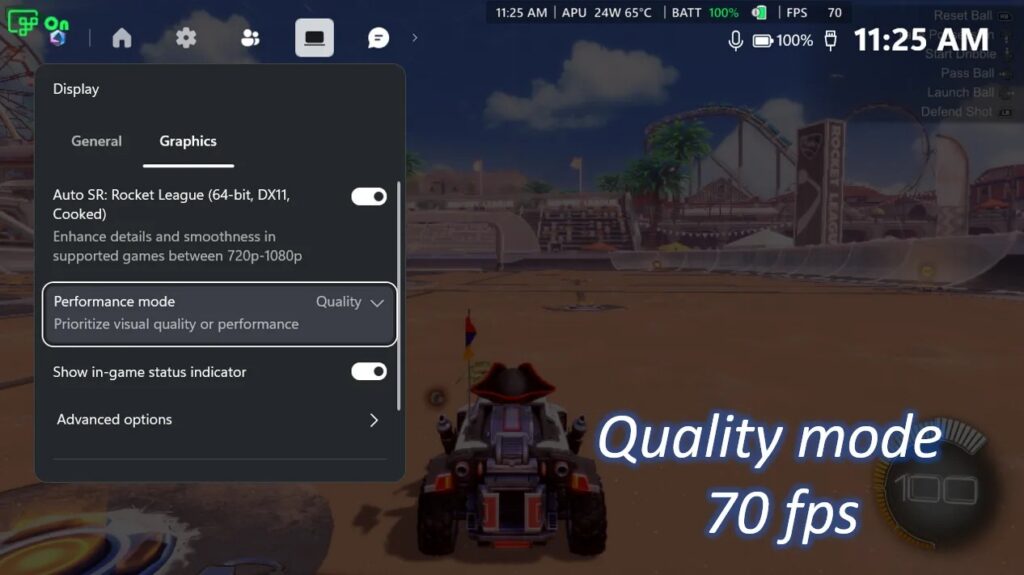
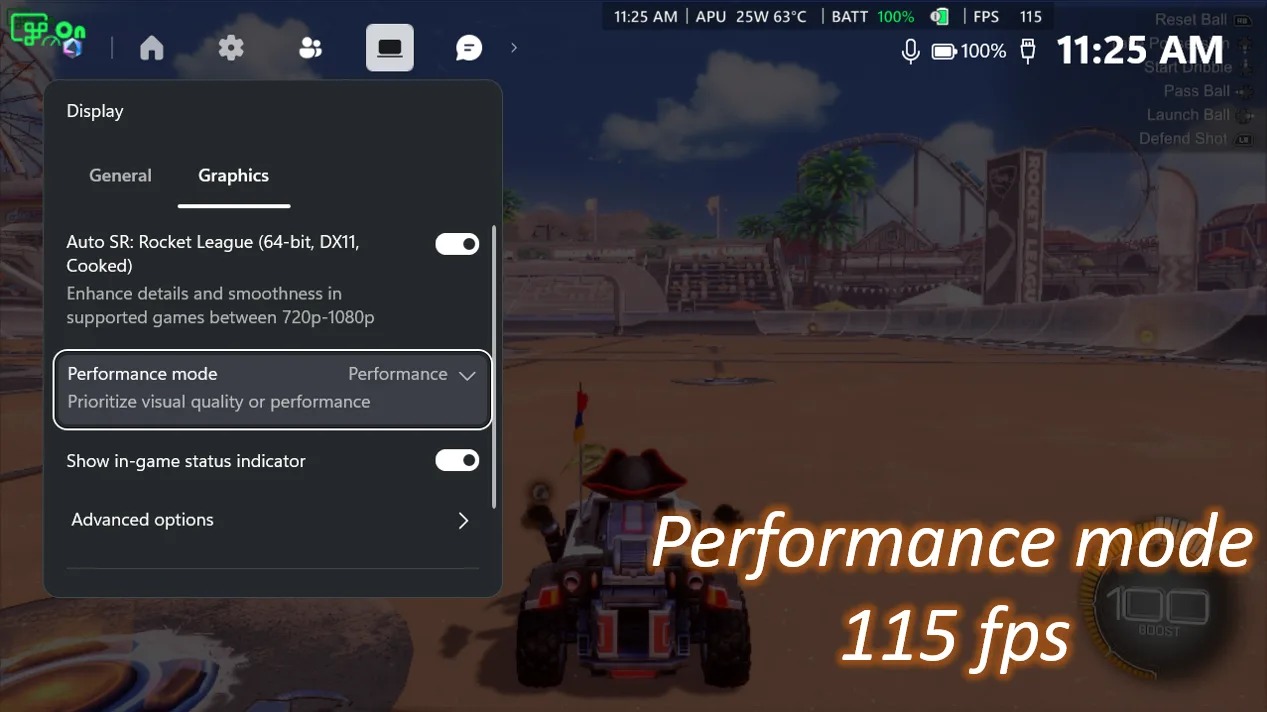
A forthcoming Performance Mode raises Auto SR’s frame-rate ceiling from roughly 60–75 FPS to 120 FPS. Players will be able to switch between Quality and Performance modes through Xbox Game Bar, including while a game is running. In Microsoft’s Rocket League demonstration on the ROG Xbox Ally X at 720p with high graphics settings, average frame rates were about 70 FPS in Quality Mode and 115 FPS in Performance Mode. Those figures are Microsoft’s demonstration results, not a guarantee for other games or settings.
Microsoft also says a later update will let Auto SR run alongside Windows Auto HDR on compatible HDR displays; previously, users had to choose one or the other. Handheld-mode and 1080p support, along with expanded support for some AMD Ryzen Copilot+ PCs, have begun rolling out. Performance Mode and Auto HDR compatibility will arrive gradually through subsequent Windows updates.
According to Microsoft’s DirectX blog instructions cited by IT Home, users should update Xbox Game Bar, install the latest Windows 11 updates, and download or update the Auto Super Resolution Package from Microsoft Store. The mode controls are under Xbox Game Bar → Widgets → Display → Graphics.
Source: ithome.com (originally published 2026-11-11 10:47 UTC+8)