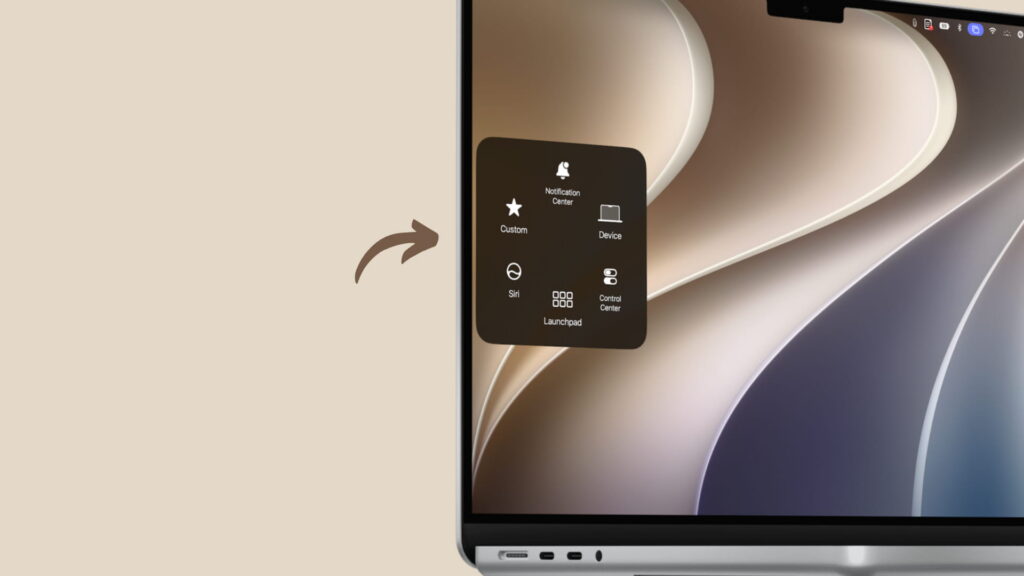
A report published on November 14, 2026, describes AssistiveTouch as available on Macs running macOS 27 Golden Gate. The floating button can be used with a touchscreen, trackpad or mouse. According to the report, it also appears on both the Mac and iPad screens when using Sidecar.

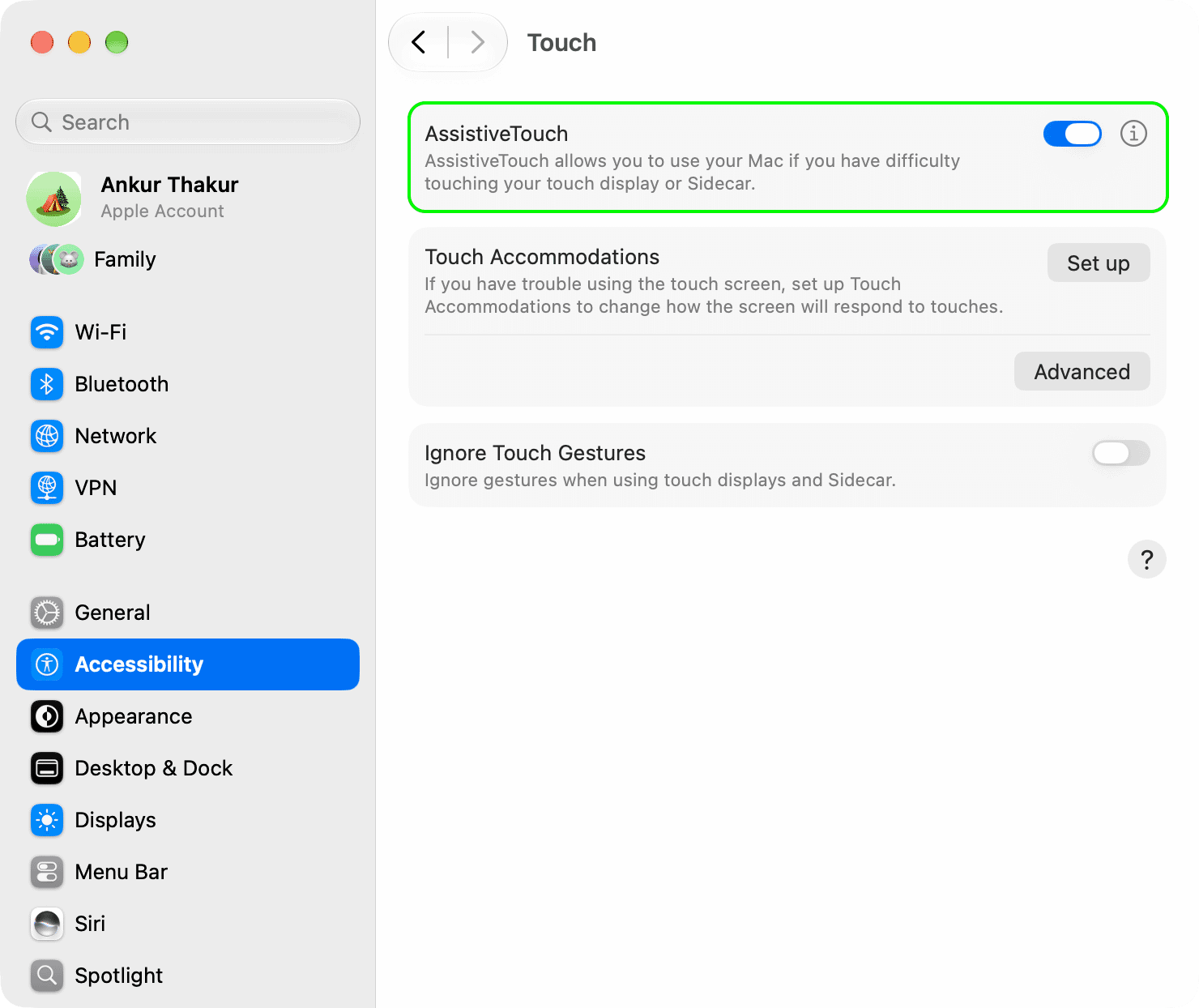
To turn it on, update to the latest version of macOS 27 Golden Gate, then open System Settings → Accessibility → Touch and switch on AssistiveTouch. Click the floating button to open its menu, or drag it to a preferred screen edge.
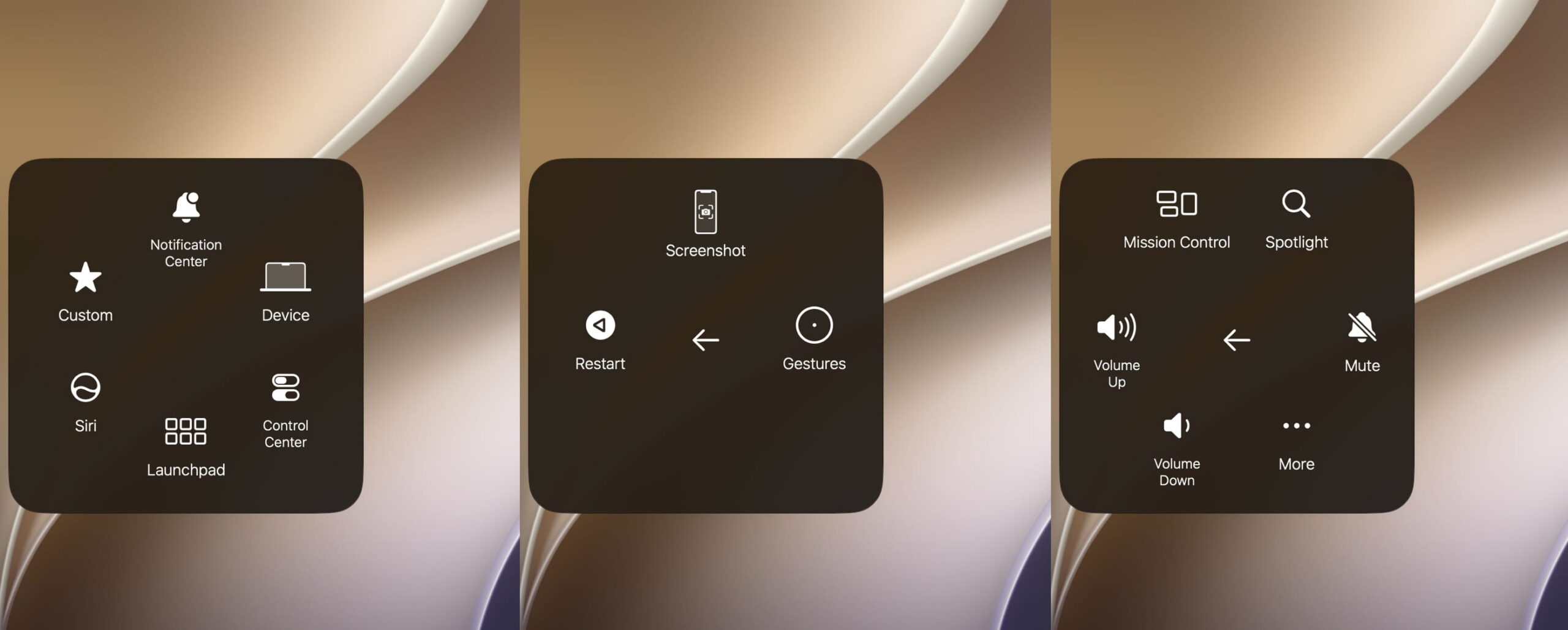
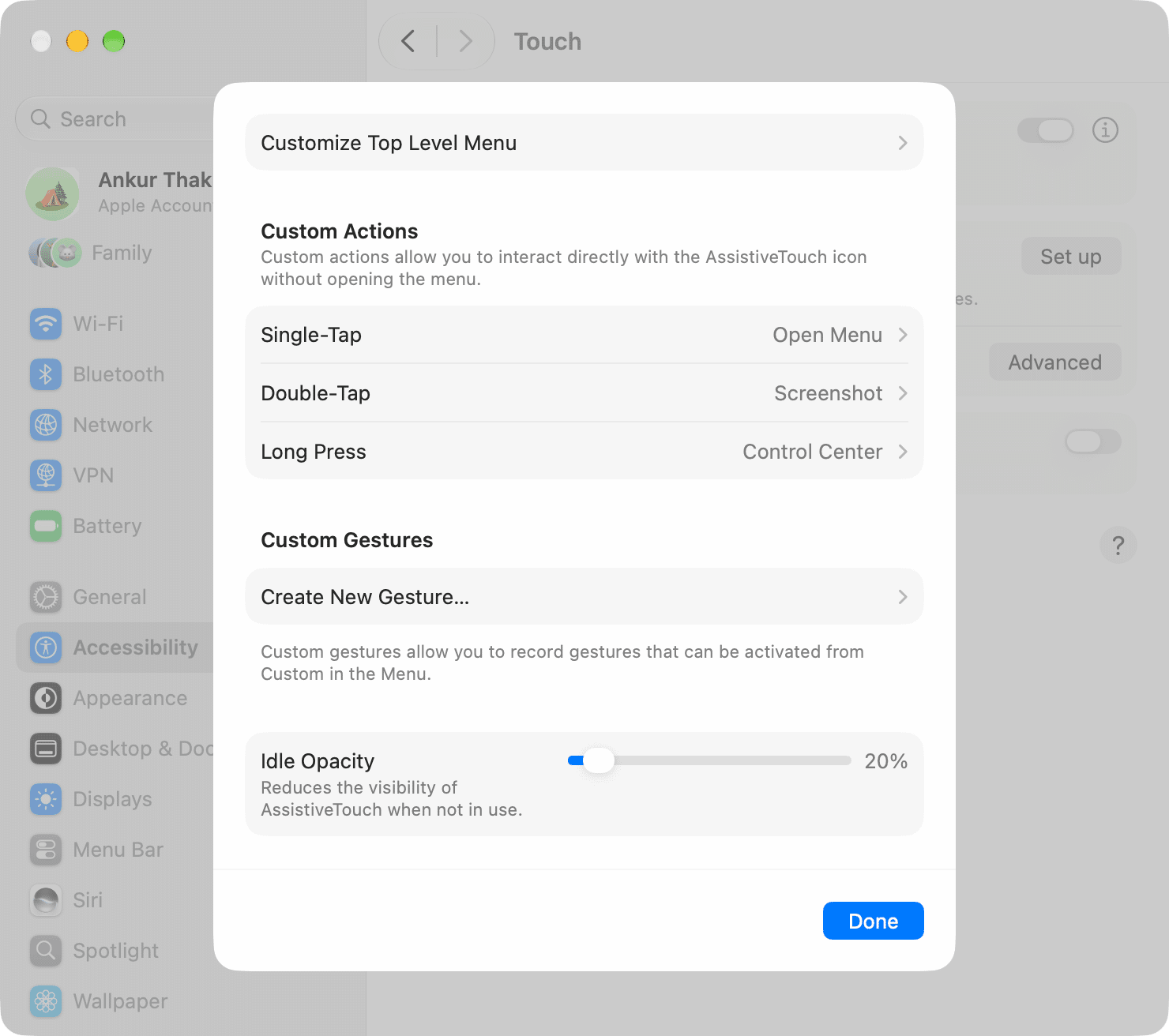
To change its behavior, return to Accessibility → Touch and click the information icon next to AssistiveTouch. You can assign single-click, double-click and long-press actions; choose up to eight items for the menu’s first page; create custom gestures; and adjust the button’s idle opacity. The double-click and long-press durations can also be changed. The report lists their defaults as 0.30 seconds and 1 second, respectively. Click Done to save your changes.
The report says AssistiveTouch cannot be added to the Mac’s Control Center for quick access in this version.