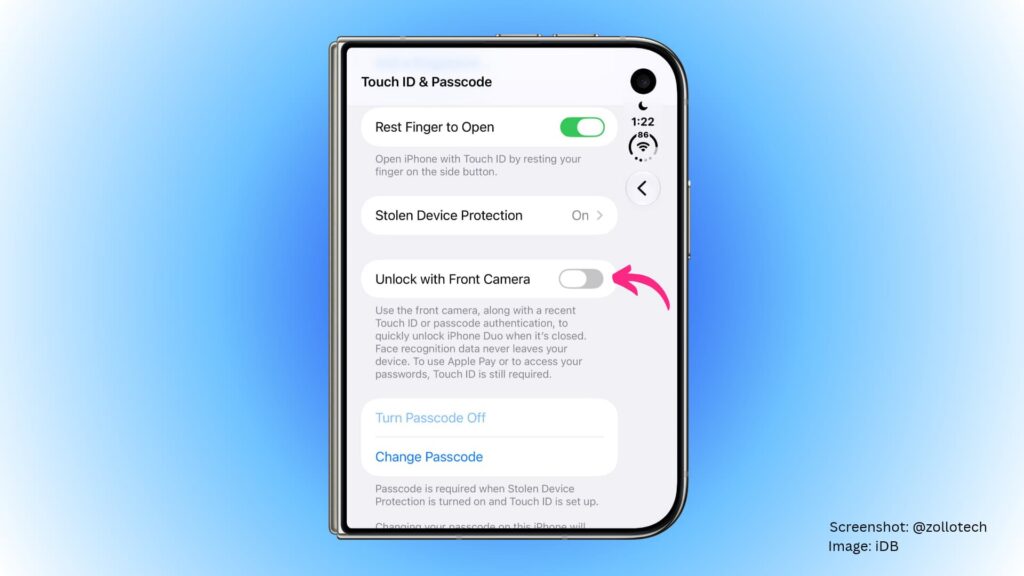
iOS 27.3 beta 2 adds Unlock with Front Camera to the foldable iPhone Duo. The option is off by default and lets you unlock the phone while it’s folded without touching the side-mounted Touch ID sensor. It works only if you’ve used Touch ID or your passcode to unlock the phone within the past 45 minutes.
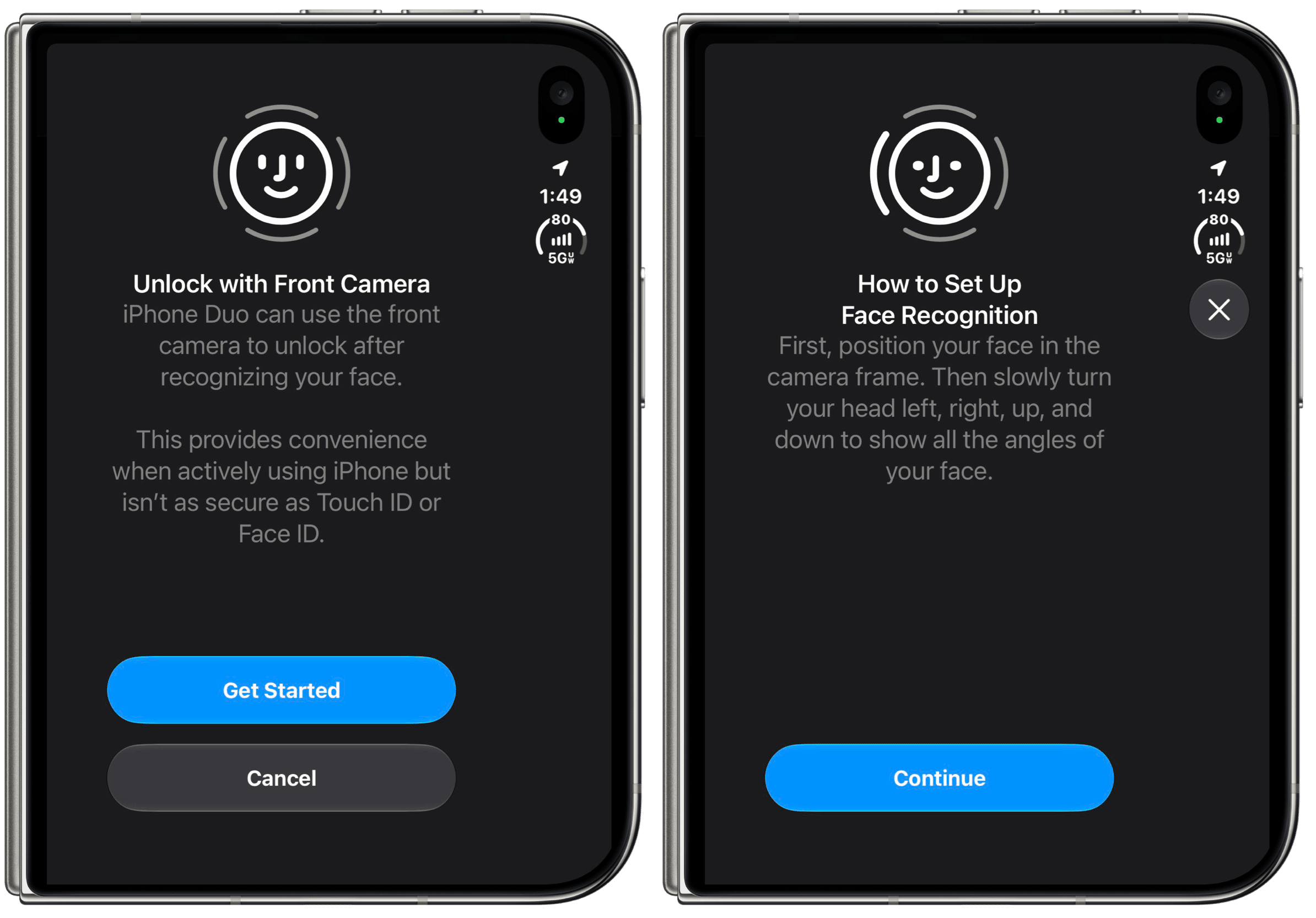
This is not Face ID. Apple’s setup screen warns that camera-based unlocking “isn’t as secure as Touch ID or Face ID.” You’ll still need Touch ID or your passcode for Apple Pay purchases, saved passwords and locked apps.
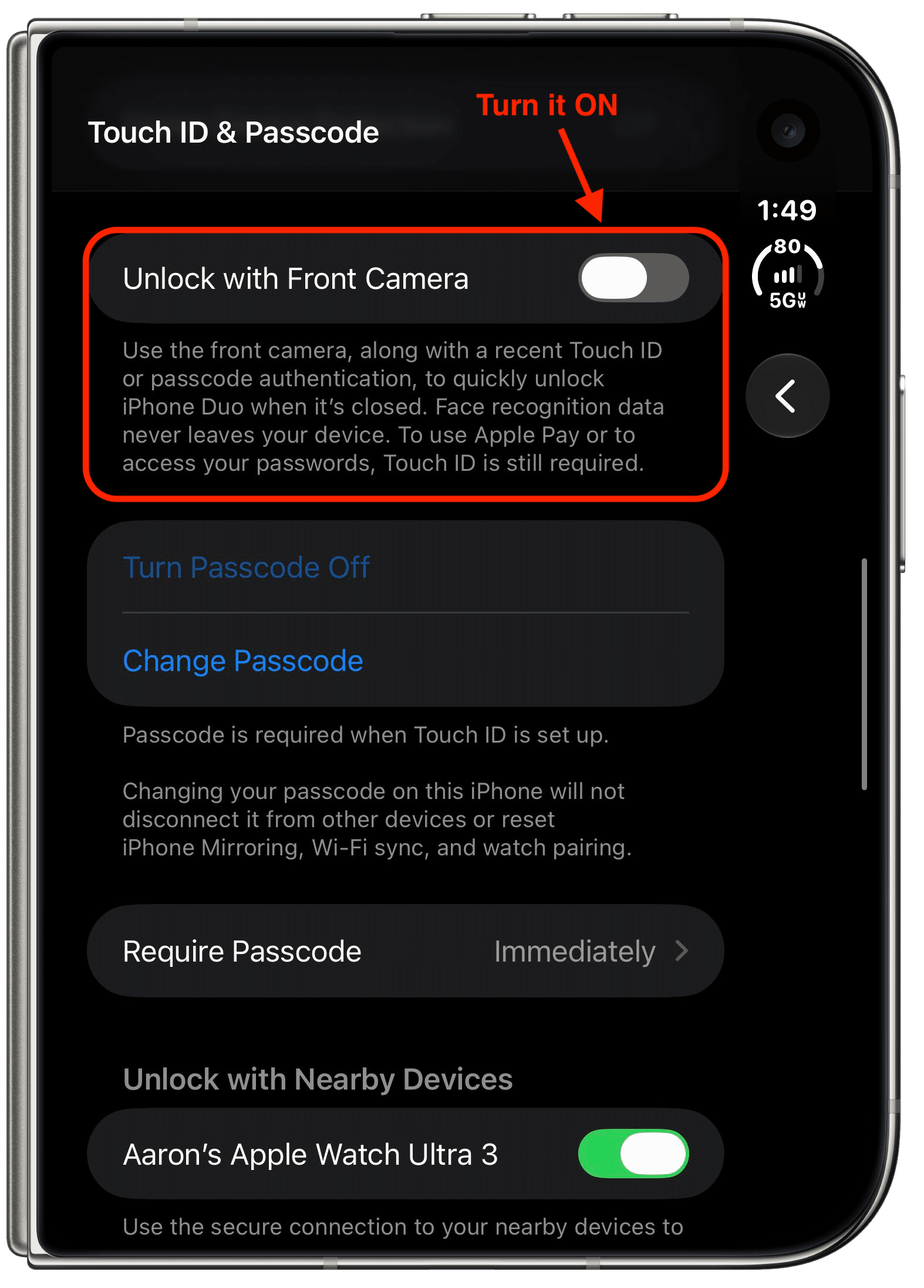
Turn on Unlock with Front Camera
- On an iPhone Duo running iOS 27.3 beta 2, move to a well-lit spot and open Settings → Touch ID & Passcode.
- Turn on Unlock with Front Camera. Read the security notice, tap Get Started, then tap Continue.
- Center your face in the circular frame. Turn your head up, down, left and right until all four arcs turn blue and the screen says Face Recognition is now set up.
To use it, wake the folded phone, look at the outer display’s camera and swipe up from the bottom of the screen to reach the Home Screen. The inner display’s FaceTime camera can’t unlock the phone. Because the feature relies on the front camera rather than Face ID’s dot projector, it may struggle or fail in low light.
Facial data stays on the device. According to Max Weinbach, the feature uses the Secure Enclave. You can keep Unlock with Apple Watch enabled alongside camera unlocking.